

Table of Contents
- Why Washing Screen Printed Shirts the Right Way Matters
- How to Wash Screen Printed Shirts: Step-by-Step
- Air Drying vs. Machine Drying Screen Prints
- Can You Iron Screen Printed Shirts?
- How to Prevent Screen Print Cracking Before It Starts
- Stain Removal, Repairs, and Storage for Graphic Tees
- Eco-Friendly Laundry Alternatives for Screen Printed Apparel
- Frequently Asked Questions
Last Updated: September 2, 2026
Why Washing Screen Printed Shirts the Right Way Matters
Most graphic tees don't die in a single wash. They fade slowly, one bad cycle at a time, until the print looks like a blurry afterthought. Screen printed shirts are vulnerable to laundry damage because the ink sits on top of the textile rather than being woven into it. Heat, friction, and harsh chemicals attack the bond between ink and fabric. Get it right, and your shirt looks sharp through hundreds of washes.
Below, we'll cover everything from ink types and detergent choices to drying techniques, ironing precautions, stain removal, and repair.
Plastisol Ink vs. Water-Based Ink: What You're Actually Washing
Understanding the ink on your shirt changes how you care for it.
Plastisol ink is the most common type used in screen printing. It's a PVC-based ink that sits as a raised layer on top of the fabric. Plastisol prints are durable and vibrant, but vulnerable to high heat, which softens and cracks the ink layer, and to abrasive detergents, which erode the surface.
Water-based ink absorbs into the fabric fibers rather than coating them. The result is a softer, more breathable print. Water-based prints are generally more fade-resistant under low-heat conditions, but they can bleed color if exposed to hot water or extended soaking.
DTG printing (direct-to-garment) and heat transfer prints follow similar care logic: avoid high heat, avoid harsh agitation, and always wash inside out. When in doubt, treat the shirt as plastisol and follow the conservative settings below.
How to Wash Screen Printed Shirts: Step-by-Step
To wash screen printed shirts correctly, turn them inside out, use cold water on a gentle cycle with mild detergent, and either air dry or tumble dry on low heat.
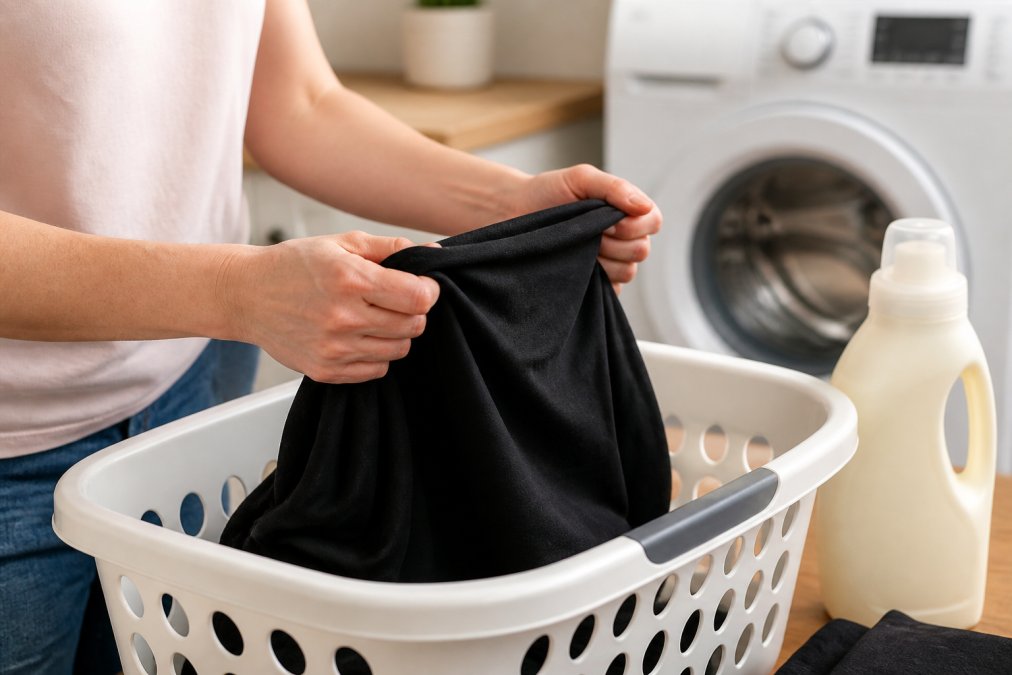
Pre-Wash Checklist
Before the shirt goes near water, run through this checklist:
- Turn the shirt inside out completely, the print should face inward
- Check the care label for any manufacturer-specific instructions
- Sort by color to prevent color bleeding
- Close any zippers on items in the same load to prevent friction against the print
- Pre-treat any stains before washing
- Remove any pins, patches, or accessories attached to the shirt
Turning shirts inside out is the single most effective thing you can do. It puts the print away from direct friction against other garments and the drum wall. This one habit alone extends print life significantly.
Choosing the Right Detergent and Water Temperature
Use a mild detergent free of bleach, optical brighteners, and heavy enzymes. These additives attack organic stains but don't distinguish between a grass stain and a plastisol ink layer. Fragrance-free, dye-free formulas are a safe choice.
Cold water is non-negotiable for screen printed garments (peer-reviewed research). Hot water softens plastisol ink and accelerates color bleeding in water-based prints. Cold water protects the ink bond, reduces shrinkage, and uses less energy. Never use bleach on screen printed shirts, even chlorine-free alternatives. If you need to brighten a white shirt, look for oxygen-based whiteners specifically labeled as safe for printed garments, and test on an inconspicuous area first.
Cycle Settings That Protect the Print
Set your washing machine to the gentle or delicate cycle. High agitation physically scrubs the print against other fabrics and the drum, creating micro-abrasion that causes cracking over time. A delicate cycle reduces that friction substantially.
Keep the spin speed low if your machine allows it. High spin speeds create centrifugal force that stretches the fabric and stresses the ink layer at its edges.
| Setting | Recommended Choice | What to Avoid |
|---|---|---|
| Water temperature | Cold (60°F or below) | Hot or warm water |
| Cycle type | Gentle or delicate | Normal or heavy-duty |
| Spin speed | Low | High |
| Detergent type | Mild, bleach-free | Bleach, optical brighteners |
| Fabric softener | Skip entirely | Liquid or dryer sheets |
Skip fabric softener completely. It breaks down the adhesion between plastisol ink and fabric over time.
Air Drying vs. Machine Drying Screen Prints
Air drying is the best option for screen printed shirts. Laying the shirt flat on a clean drying rack or hanging it in a shaded, well-ventilated area eliminates heat exposure entirely. Keep air-drying shirts out of direct sunlight, as UV exposure fades colors over time.
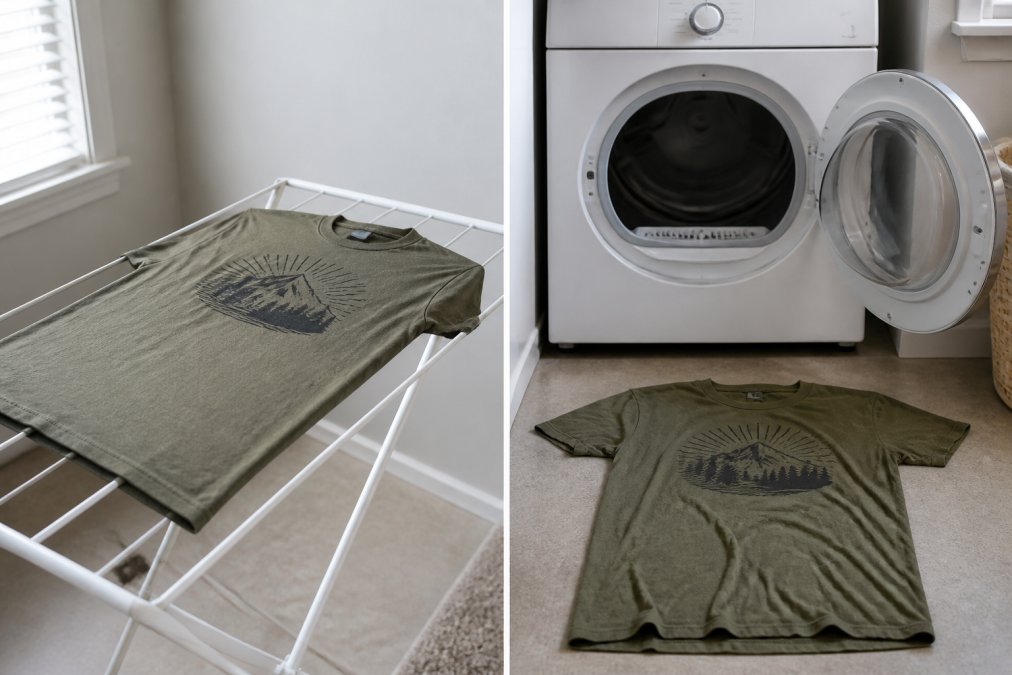
Machine drying is manageable if you follow two rules: use the lowest heat setting available (or the air-only/no-heat setting if your dryer has one), and remove the shirt while it is still slightly damp. Leaving a screen printed shirt in a hot dryer until bone dry cracks plastisol ink quickly.
Dryer sheets degrade the ink layer like fabric softener does. Use dryer balls instead.
The practical hierarchy for drying:
- Flat air dry on a rack, out of direct sunlight
- Hang dry in a shaded, ventilated space
- Tumble dry on the lowest heat or air-only setting
- Tumble dry on low heat as a last resort, remove while slightly damp
Can You Iron Screen Printed Shirts?
Ironing screen printed shirts is possible, but direct contact between a hot iron and a screen print will melt, flatten, or permanently distort the ink.
Turn the shirt inside out and iron on the reverse side of the print using a low-to-medium heat setting. If you need to iron the outside, place a thin pressing cloth or plain cotton fabric between the iron and the print. Never use steam directly on the printed area; steam forces moisture into the ink layer and can cause water-based inks to bleed.
How to Prevent Screen Print Cracking Before It Starts
Screen print cracking is almost always caused by accumulated heat damage and abrasion, not a quality defect.
The most effective prevention strategies:
- Always wash inside out to shield the print from direct friction
- Use cold water on every wash
- Skip the dryer when possible, or use the lowest heat setting
- Avoid fabric softeners and dryer sheets, which chemically erode the ink bond
- Wash less frequently when the shirt isn't visibly soiled
- Reduce load size so garments have more room and create less friction
How Water Hardness Affects Print Longevity
Hard water, with high concentrations of dissolved minerals like calcium and magnesium, affects how detergent performs (the EPA). In hard water areas, detergent doesn't rinse out cleanly. Mineral deposits and soap residue accumulate in the fabric fibers and on the ink layer surface, making the print feel stiff and accelerating surface cracking.
Use slightly less detergent than the package recommends, add a small amount of white vinegar to the rinse cycle to help dissolve mineral deposits, or use a detergent specifically formulated for hard water. You can check your local water hardness level through the EPA's drinking water resources.
Stain Removal, Repairs, and Storage for Graphic Tees
Safe Stain Removal Without Damaging the Print
The biggest mistake in stain removal is reaching for the strongest product available. Bleach, enzyme-heavy stain removers, and solvent-based cleaners will remove the stain and take part of the print with them.
For stains on or near a screen print:
- Act quickly; fresh stains respond to cold water and gentle blotting
- Apply a small amount of mild liquid detergent directly to the stain
- Work it in gently with your fingertip or a soft cloth, never scrub
- Rinse with cold water
- If the stain persists, try a diluted solution of dish soap and cold water
- Avoid soaking the garment; extended soaking weakens the ink bond
For oil-based stains, a tiny amount of dish soap applied directly before washing works well. Test any product on an inside seam area before applying it near the print.
Repairing a Print That Has Already Started Cracking
Cracking doesn't have to be the end of the shirt. Minor cracking in plastisol prints can be slowed and sometimes partially restored.
For minor surface cracking: Apply a thin layer of fabric medium (available at craft stores) over the cracked area with a fine brush. This rehydrates the ink layer and seals small fissures.
For more significant cracking: Iron-on adhesive patches designed for fabric repair can stabilize a print that's peeling at the edges. Place the patch on the inside of the shirt, behind the affected area.
For color fading: There is no reliable DIY fix for faded water-based inks. Prevention is the only real strategy.
Storing Screen Printed Shirts to Prevent Fading
Storage causes more damage than most people expect. Avoid folding shirts with the print on the outside (which creates pressure creases in the ink layer), storing in plastic bags (which trap moisture), and leaving shirts in direct sunlight or near heat sources.
Best practices for storage:
- Fold with the print facing inward, or hang the shirt on a padded hanger
- Store in a cool, dry location away from direct sunlight and heat vents
- Use breathable cotton storage bags rather than plastic
- Avoid stacking heavy items on top of graphic tees for extended periods
Eco-Friendly Laundry Alternatives for Screen Printed Apparel
Conventional laundry detergents often contain phosphates, optical brighteners, and synthetic fragrances, all of which are hard on printed textiles. Eco-friendly alternatives tend to be gentler on prints by default.
Plant-based detergents with minimal ingredient lists are a strong choice for graphic tees. They clean effectively at cold water temperatures, rinse cleanly, and don't leave chemical residue that accelerates ink breakdown.
Cold water washing itself is an eco-friendly practice. Modern detergents are formulated to perform just as well at lower temperatures.
Other practical alternatives:
- White vinegar as a fabric softener substitute: Add half a cup to the rinse cycle. It softens fabric naturally and removes detergent residue without harming the ink layer.
- Wool dryer balls: Replace dryer sheets entirely. They reduce drying time and eliminate static without chemical residue.
- Spot cleaning between washes: Extending the time between full wash cycles is the most effective thing you can do for both print longevity and environmental impact.
| Care Step | Best Practice | What to Avoid |
|---|---|---|
| Pre-wash | Turn inside out, sort by color | Leaving print facing outward |
| Water temperature | Cold (60°F or below) | Hot or warm water |
| Detergent | Mild, bleach-free, plant-based | Bleach, optical brighteners, enzymes |
| Cycle | Gentle or delicate | Normal, heavy-duty |
| Fabric softener | Skip entirely | Liquid softener or dryer sheets |
| Drying | Air dry flat, out of direct sun | High-heat tumble dry |
| Ironing | Inside out, low heat, pressing cloth | Direct iron on print, steam |
| Storage | Cool, dry, print facing inward | Plastic bags, direct sunlight |
Caring for graphic tees takes a few consistent habits, not a complicated routine. The shirts that last longest are washed in cold water, dried without heat, and stored away from sunlight. The ones that crack after a handful of washes almost always went through the dryer on high heat or got scrubbed with harsh detergent.
At Declared Faith, every shirt is designed to carry a message worth wearing for years. The Mom Stats Badge Laundry Life Shirt is a fitting reminder that everyday moments matter. Treat the shirt right, and it'll keep saying what needs to be said. Shop the full collection and find something worth wearing. Show Me Everything.

Frequently Asked Questions
How long should you wait to wash a new screen printed shirt?
Wait at least 24 hours before washing a brand-new screen printed shirt. This gives the ink time to fully cure and bond with the fabric fibers. For shirts made with plastisol ink, curing typically happens during production, so they are usually safe to wash sooner. Water-based ink and DTG printing can benefit from the extra wait time. When you do wash it, turn it inside out and use cold water on a gentle cycle.
Why is my screen print cracking after washing?
Cracking usually results from repeated exposure to high heat, harsh detergents, or heavy agitation in the wash cycle. Bleach and fabric softener also break down the ink over time. Plastisol ink is durable but will crack if the print was not properly cured during manufacturing or if it is consistently washed in hot water. Switching to cold water, a delicate cycle, and a mild detergent, combined with turning the shirt inside out before each wash, significantly slows print degradation.
Can you put screen printed shirts in the dryer?
You can use a dryer on the lowest heat setting, but air drying is safer for print longevity. High heat causes plastisol and water-based inks to expand and contract, which accelerates cracking and fading over time. If you use a dryer, remove the shirt while it is still slightly damp and let it finish drying flat or on a hanger. Avoid dryer sheets, which can coat the print with residue that dulls the colors.
How do you remove wrinkles from a screen printed shirt without damaging the ink?
The safest method is to use a steamer held several centimeters away from the fabric. If you use an iron, set it to the lowest heat setting, place a thin cotton cloth or parchment paper over the printed area, and never iron directly on the design. Avoid steam settings on a traditional iron when the iron is touching the print. Hanging the shirt in a steamy bathroom after a shower can also release light wrinkles without any direct heat contact.
This article was written using GrandRanker
0 comments